 TECH REVIEW
 Netgear Nighthawk AC1900 Review: It Keeps Rebooting
It's a perfectly capable AC1900 router for the ten or so hours between reboots, and then it reboots, and five months in I still haven't found the setting, firmware version or shelf that fixes it.
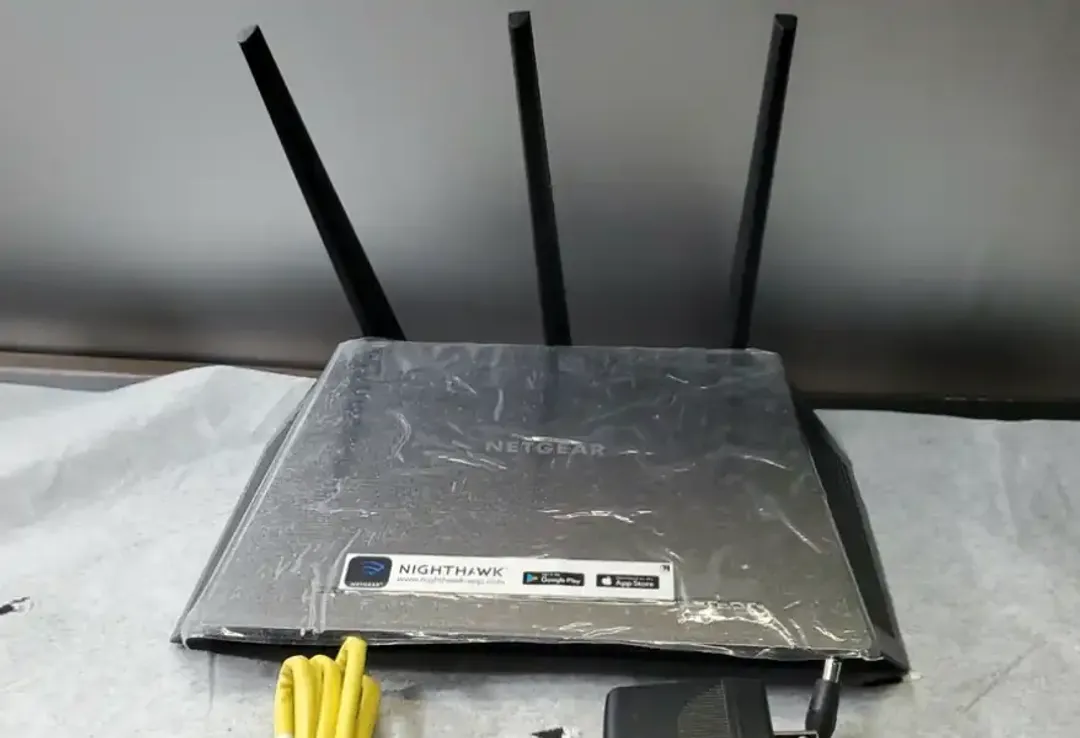
I picked up the Nighthawk AC1900, the R7000, as a straightforward main-router upgrade five months ago, chosen mostly because the spec sheet matched what my flat needed and a decade of reviews said it was solid, and on the actual wifi side of things it’s done exactly what it promised, decent range, no complaints on throughput, right up until you notice that it has not once, in five months, gone a full day without the whole connection dropping and the router rebooting itself, sometimes once, sometimes five or six times before I’ve had breakfast. The worst of it cost me a video call halfway through, and on a seperate evening, a download I had to restart completely from zero, not because the connection blipped but because the router itself went fully dark, LEDs and all, and came back a couple of minutes later as if nothing had happened.
What the reboots actually look like
The pattern’s stayed consistent enough that I’ve stopped bothering to log it properly beyond a rough tally: the wifi drops first, the LEDs on the front go dark, and somewhere between thirty seconds and two minutes later the router comes back up on its own, having rebooted rather than recovered from whatever happened to it. There’s no trigger I’ve managed to pin down in five months of paying attention, not time of day, not how many devices are connected, not whether anything’s actually pushing real bandwidth through it at the time, which is most of why this has been so hard to troubleshoot rather than just quietly live with. When it’s actually staying up, mind, the AC1900 spec does exactly what it says on the tin, 600Mbps on 2.4GHz, 1300Mbps on 5GHz, four gigabit LAN ports and a Broadcom BCM4709A0 doing the work behind it, and none of that’s the problem here. The problem is that none of it gets the chance to matter for more than about ten hours at a stretch.
The firmware chase
My first assumption was firmware, because with routers like this it usually is, so I updated to the current release straight from Netgear’s own support page and gave it a full week before drawing any conclusions, and the reboots kept turning up on roughly the same schedule as before. I rolled back to the previous major version next, on the theory Netgear had broken something recent, which changed precisely nothing either, and by the time I’d been through the current release plus two older ones without the frequency shifting in either direction, firmware had stopped being a plausible explanation for any of it.
The forums, and the heat theory
Mine sits out in the open on a shelf, not stuffed in a cabinet or stacked on top of a modem, which is usually the first thing anyone suggests to a router that’s overheating, and moving it made no difference at all, so either the R7000’s internals can’t stay cool enough in the open air regardless of placement, or heat was never quite the whole answer to begin with.
What I still don’t know
I never actually got the case open to put a thermometer anywhere near the Broadcom chip myself, so I can’t swear the heat theory is definitely correct rather than just the most popular guess going round a forum that’s frustrated for the same reason I am, and Netgear’s own support line, when I rang them in month three, offered nothing beyond a factory reset I’d already tried twice by that point, which is definately not the kind of answer that fixes anything. Whether it’s heat, a firmware bug too deep for a rollback to touch, or something the community hasn’t landed on yet, I genuinely don’t know, and five months in I’ve stopped expecting Netgear to be the one who tells me.
Price and the rest of the range
The R7000’s long since stopped being sold new, which given how many owners describe the identical fault probably isn’t a coincidence, and picking one up secondhand now mostly means picking up someone else’s reboot problem along with it, at anywhere from £15 to £40 against the £165 it launched at in February 2014. I’d stop short of assuming this is strictly an R7000 fault worth risking on a different Nighthawk model instead, too, since the overheating complaints turn up on more than one product page in the range, and a line with that pattern across several models isn’t one I’m willing to recommend on the strength of a single good spec sheet anymore.
The verdict
A 22 isn’t a score I hand out lightly, and a router that’s fast and has decent range when it’s actually working doesn’t usually end up this low, but stability isn’t optional in a router, it’s the entire job, and this one fails at it daily. Don’t buy this one new or secondhand, and until Netgear can show the rest of the Nighthawk range doesn’t share the same fault, I’d shop elsewhere for your next router entirely.